
Key Takeaways
- Start with a walk-through and written risk assessment, not a product catalog.
- Use layers such as lighting, locks, access rules, cameras, alarms, and response procedures.
- Give people access only to the spaces and times they actually need.
- Choose technology based on the action it supports after an alert occurs.
- Test the plan regularly and update it after changes to the property or its users.
A reliable property security plan is not a shopping list of cameras, alarms, and smart locks. It is a practical system that helps homeowners, landlords, property managers, and business owners reduce vulnerabilities, recognize unusual activity, and respond with less confusion. The right mix depends on the property’s layout, daily routines, occupants, and the assets to be protected. Whether you manage a home, storefront, office, warehouse, or multi-tenant building, Usprotective.net provides an important starting point: security works best when surveillance, access control, monitoring, and physical safeguards are planned together rather than installed as isolated tools.
Why Every Property Needs a Written Security Plan
A strong lock or visible camera can be useful. Still, neither explains what happens when an alert arrives after hours, a credential is lost, or an unfamiliar person enters a restricted area. A written plan identifies the people, equipment, procedures, and decisions that support security before an incident creates pressure. Think of security as four interconnected goals: discourage unwanted activity, detect problems, delay unauthorized entry, and support an appropriate response. A small office may have cameras at its doors, for example, but still have a gap if nobody is responsible for reviewing after-hours notifications. Guidance on coordinating physical and cybersecurity planning is especially relevant when cameras, locks, alarms, and mobile apps share a network.
Step 1: Assess the Property and Its Risks
Walk the full property during daylight and after dark. Look at exterior doors, windows, gates, parking areas, loading zones, stairwells, storage rooms, utility spaces, and any location where valuable equipment or sensitive records are kept. Note poor lighting, blind spots, damaged hardware, unused entrances, and places where visitors could enter unnoticed. Also consider how the property is used. Who arrives early, works late, receives deliveries, cleans the site, or needs temporary access? Review prior incidents, insurance requirements, and local emergency concerns as applicable. The goal is not to assume danger everywhere. It is to identify the weaknesses inherent in the building’s design and routines.
Step 2: Build Layers That Work Together
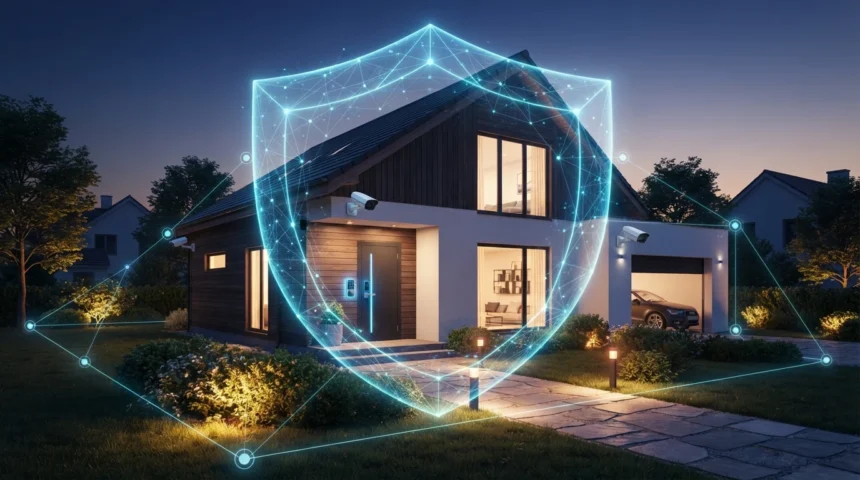
Layered security means using several complementary safeguards so that a single missed step or equipment failure does not leave the property completely exposed. Exterior lighting, fencing, gates, door hardware, window locks, cameras, alarms, visitor procedures, and staff awareness can all play different roles. For example, well-placed lighting can make a pathway easier to navigate, help a camera capture a clearer image, and make an entry point more visible to occupants. Strong doors and controlled entrances can slow unauthorized access, while an alarm or alert may notify the right person that a response is needed.
Step 3: Improve Entry and Access Control
Access control is more than locking the front door. It includes physical keys, smart locks, cards, mobile credentials, PINs, visitor logs, delivery procedures, and rules for contractors. Whenever practical, assign access by person, location, schedule, and job role rather than granting everyone unrestricted entry.
Access Control Checklist
- List every employee, tenant, vendor, and contractor who needs access.
- Limit each person to the areas and hours required for their role.
- Remove credentials promptly when employment, tenancy, or a project ends.
- Review access records and shared-key practices on a routine schedule.
- Create a backup method for power outages, network failures, or lost credentials.
Step 4: Choose Security Technology With Care
Choose equipment by purpose, not by the longest feature list. For cameras, consider placement, field of view, low-light conditions, recording retention, remote access, and whether the image will be useful for the intended area. For intrusion detection, consider door contacts, glass-break sensors, motion detection, environmental alerts, and communications backup. Cloud, on-site, and hybrid recording can each fit different needs. Before buying, confirm coverage, power requirements, network reliability, storage costs, maintenance needs, and who will receive alerts. Ask one question about every device: “What action will this system support when it detects a problem?”
Step 5: Create a Clear Response Process
Every alert should lead to a documented decision path. Define who verifies an alarm or camera notification, who contacts a manager, when emergency services should be called, and when occupants should evacuate or avoid an area. Use normal communication methods, then identify backups if phones, power, or internet service are unavailable. Incident records should capture the date, time, location, people involved, actions taken, and follow-up needed. Monitoring only adds value when someone understands the alert, knows their responsibility, and can act safely within established procedures.
Step 6: Address Privacy, Data, and Reliability
Recorded video, alarm history, and entry logs can contain sensitive information. Limit access to authorized users, use separate accounts rather than shared passwords, enable multifactor authentication where available, and keep software updated. The privacy risk management principles developed by NIST can help organizations think through how security data is collected, accessed, retained, and protected. Set retention rules so recordings are kept only as long as needed for legitimate operational, security, or legal purposes. Check applicable laws, workplace policies, lease terms, and notice requirements before using video or audio monitoring. Plan for damaged equipment, outages, and offline operations, including backup power where appropriate.
Step 7: Set a Practical Budget and Timeline
Separate one-time expenses from recurring costs. Installation, hardware, repairs, and upgrades are different from monitoring, software licenses, cellular backup, cloud storage, and maintenance. Prioritize improvements by the seriousness of the gap and the practical benefit of fixing it.
- Correct urgent physical weaknesses, such as damaged locks or unsecured doors.
- Improve exterior lighting and visibility around important entry points.
- Control access to high-priority doors and restricted rooms.
- Add cameras, alarms, or monitoring where meaningful gaps remain.
- Train users and test the full response process.
Step 8: Test and Update the Plan
Test locks, cameras, alarms, notifications, backup power, and emergency contacts on a regular schedule. Review the plan after renovations, changes in operating hours, tenant turnover, staffing changes, new assets, or an incident. Quarterly reviews may suit higher-risk or fast-changing properties, while smaller, stable properties may use a twice-yearly schedule. Ask whether important entrances can be seen or controlled, whether former users still have access, whether the system works during an outage, and whether the people receiving alerts know what to do. A security plan stays useful when it changes with the property.
Conclusion
A smarter property security plan does not need to be overly complicated. It needs to reflect real risks, connect practical layers of protection, define responsibilities, and receive regular attention. Every property has different security needs depending on its layout, location, occupancy, access points, and daily activities. A residential building, commercial facility, and mixed-use property may each require a different combination of lighting, locks, cameras, alarms, access controls, and emergency procedures. Start with a property walk-through to identify vulnerable entrances, poorly lit areas, unsecured storage spaces, and other potential weak points. Fix the most important gaps first, then evaluate which additional safeguards would provide meaningful protection without creating unnecessary costs or operational difficulties. Make sure everyone who uses the property understands basic security procedures, knows how to report concerns, and can operate the systems correctly. Regular inspections, equipment testing, and updates as the property changes can help keep the plan effective over time. The goal is to build a reliable system that people can use confidently every day.